Fine-Tune LLMs on Your Mac: DagsHub + Apple MLX-LM Integration
- Dean Pleban
- 5 min read
- 3 months ago
Co-Founder & CEO of DAGsHub. Building the home for data science collaboration. Interested in machine learning, physics and philosophy. Join https://DAGsHub.com | DagsHub Co-Founder & CEO
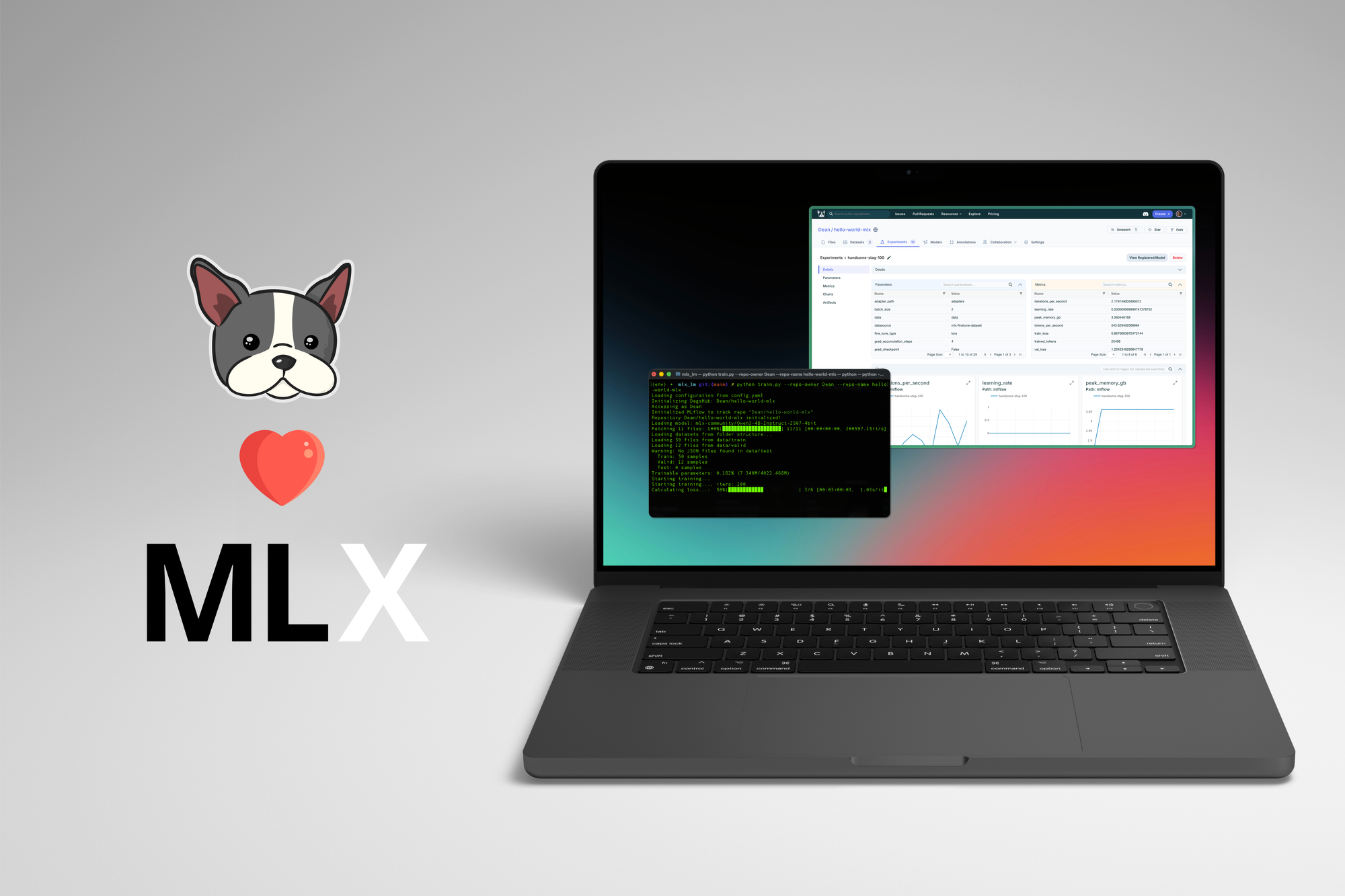
TL;DR: DagsHub now fully supports Apple Silicon LLM fine-tuning workflows with MLX-LM. Train models locally on your MacBook, track experiments, version datasets, and deploy—all with a seamless, integrated experience.
The Rise of Local LLM Development on Apple Silicon
Apple's MLX framework has unlocked a new era of machine learning on Mac. With MLX-LM, developers can now fine-tune large language models directly on their MacBooks using the Metal Performance Shaders (MPS) backend—no cloud GPUs required.
But training models is only half the battle. Managing experiments, versioning datasets, tracking model iterations, and deploying results has traditionally required stitching together multiple tools. That's where DagsHub comes in.
We're excited to announce full DagsHub integration with Apple MLX-LM, bringing enterprise-grade MLOps to local Apple Silicon LLM development.
What is DagsHub?
DagsHub is a platform built for data scientists and ML engineers to manage the complete machine learning lifecycle. Think of it as "GitHub for ML"—but with native support for:
- Experiment Tracking: MLflow-compatible experiment logging with automatic versioning
- Data Engine: Query, filter, and version datasets with rich metadata
- Model Registry: Register, version, and deploy models from a central hub
- Data Versioning: DVC integration for large file and dataset management
- Collaboration: Pull requests, discussions, and peer review for data science
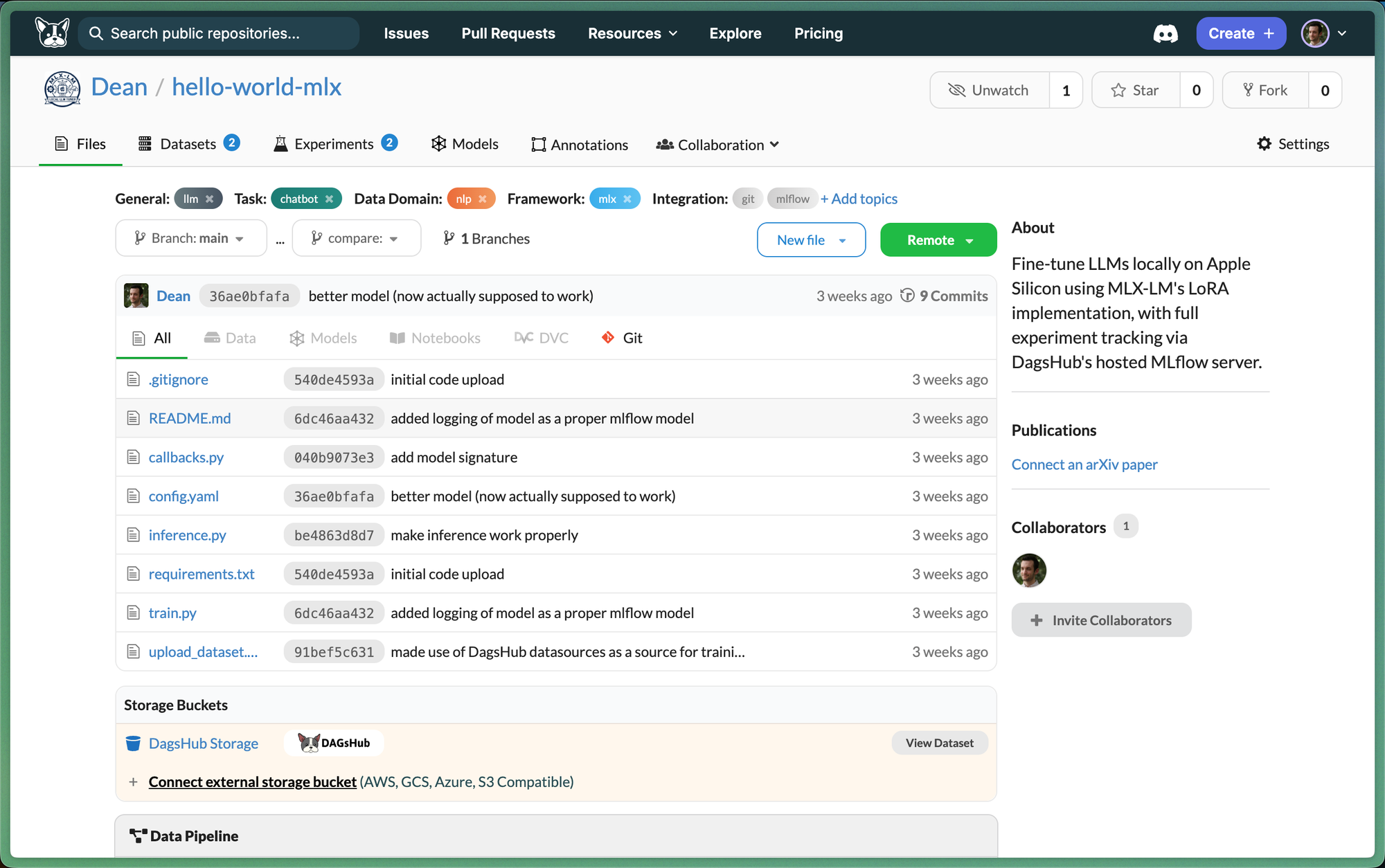
DagsHub hosts all these capabilities in one place, eliminating the need to self-host MLflow servers, S3 buckets, or model registries.
Why MLX-LM 🤝 DagsHub?
Apple's MLX-LM provides the training engine; DagsHub provides the MLOps infrastructure. Together, they create a complete local-first LLM development workflow:
| MLX-LM Provides | DagsHub Provides |
|---|---|
| LoRA fine-tuning | Experiment tracking (MLflow API) |
| Memory-efficient training on MPS | Dataset versioning & querying |
| Model quantization (4-bit, 8-bit) | Model registry & deployment |
| Local inference & API serving | Collaboration & reproducibility |
The integration is seamless—DagsHub's hosted MLflow server works directly with standard MLflow logging calls, so you can track experiments without any infrastructure setup.
Project Overview: Fine-Tuning Qwen on a MacBook
We've created a reference implementation that demonstrates the full workflow. Here's what it does:
The Stack
- Model: Qwen3-4B-Instruct-4bit (~2.5GB, runs on 16GB RAM)
- Training: LoRA fine-tuning with MLX-LM
- Tracking: DagsHub Experiments (MLflow-compatible)
- Data: DagsHub Data Engine with metadata-based querying
- Deployment: Local inference + OpenAI-compatible API server
Memory Footprint
| Operation | RAM Usage |
|---|---|
| Training (LoRA) | ~5-6 GB |
| Inference | ~2-3 GB |
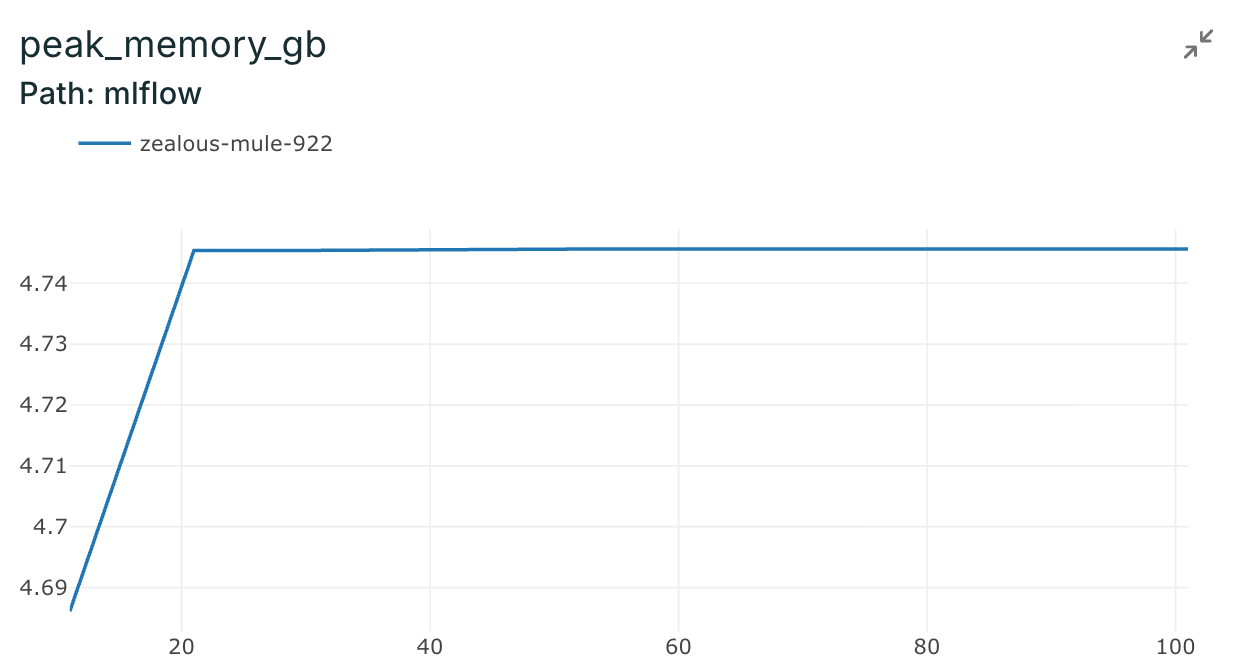
This fits comfortably on a MacBook Pro with 16GB RAM—and with gradient checkpointing, you can fine-tune even larger models.
How It Works
1. Dataset Management with Data Engine
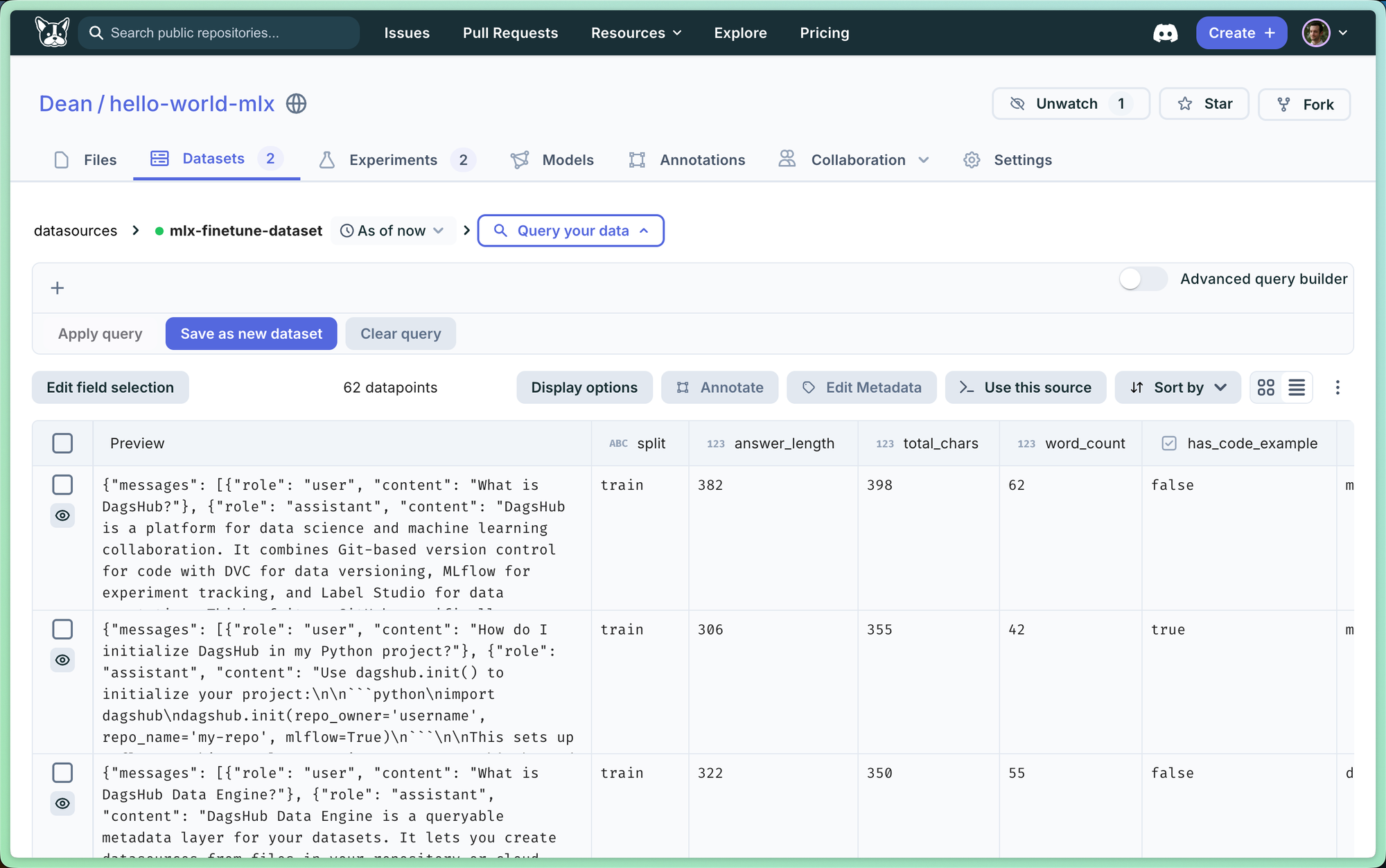
Instead of manually downloading training data, the project queries DagsHub's Data Engine to fetch files based on metadata:
from dagshub.data_engine import datasources

ds = datasources.get_datasource(repo="username/repo", name="my-dataset")

# Query by metadata
train_data = ds[ds['split'] == 'train'].all()
valid_data = ds[ds['split'] == 'valid'].all()

# Download files
for dp in train_data:
    dp.download_file(target=f"data/train/{dp.path}")
This approach enables:
- Versioned datasets: Every experiment links to the exact dataset version used
- Metadata filtering: Query subsets without downloading everything
- Automatic logging: Dataset usage is tracked in MLflow automatically
2. Experiment Tracking
Training metrics flow directly to DagsHub's hosted MLflow server:
import dagshub
import mlflow

# One line to configure MLflow with DagsHub
dagshub.init(repo_owner="username", repo_name="repo", mlflow=True)

with mlflow.start_run():
    mlflow.log_param("model", "Qwen3-4B-Instruct-4bit")
    mlflow.log_param("lora_rank", 8)

    # Training loop logs metrics automatically via callback
    train(model, callback=MLflowCallback())
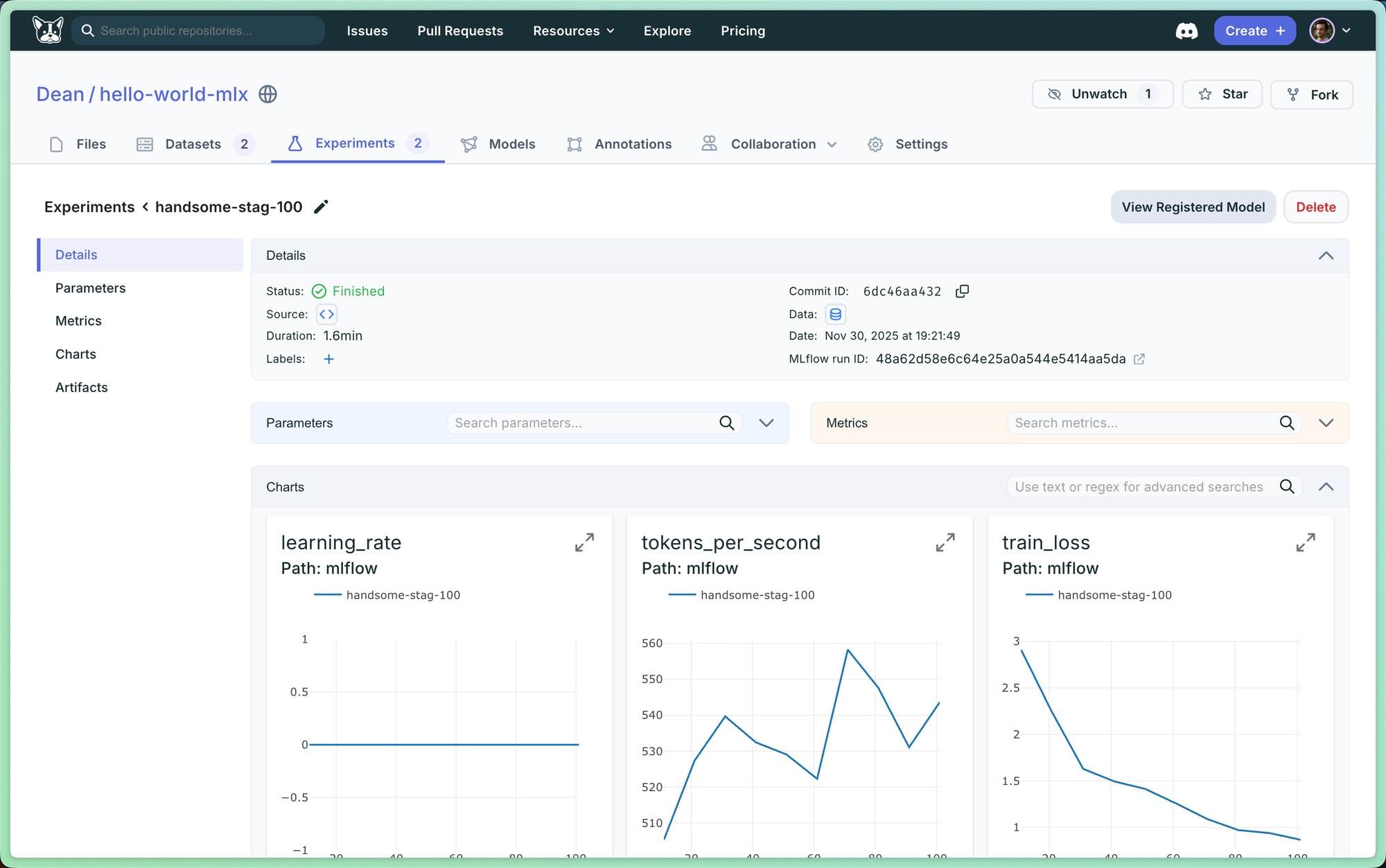
Every run captures:
- Training loss, validation loss, learning rate
- Tokens/second, peak memory usage
- Git commit hash (automatic!)
- Dataset version (automatic!)
- Trained adapter weights
3. Model Registry Integration
After training, adapters are logged as MLflow models that can be registered and versioned:
# Log adapters as MLflow model
mlflow.pyfunc.log_model(
    artifact_path="model",
    python_model=AdapterWrapper(),
    artifacts={"adapters": "adapters/"},
)
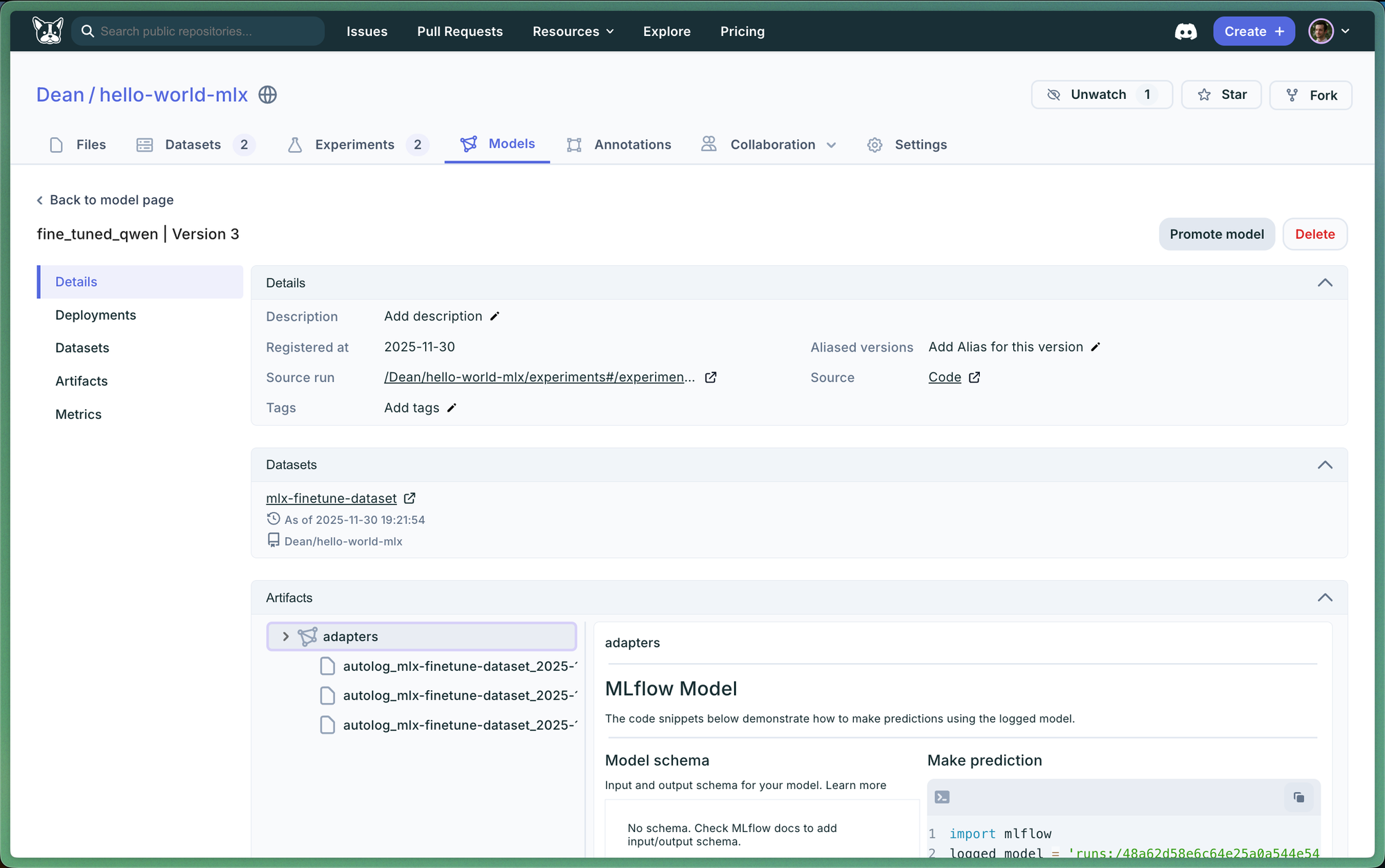
Later, load directly from the Model Registry for local inference with MLX-LM:
# Download from Model Registry
uri = "models:/my-finetuned-model/Production"
adapters = mlflow.artifacts.download_artifacts(uri)

# Load and run inference
model, tokenizer = load(base_model)
model = apply_adapters(model, adapters)
4. Local Deployment
The project includes an OpenAI-compatible API server for local deployment:
# Start server with adapters from Model Registry
python inference.py --serve \
    --repo-owner username \
    --repo-name repo \
    --registered-model my-model \
    --port 8080
Then use it like any OpenAI API:
curl http://localhost:8080/v1/chat/completions \
  -H "Content-Type: application/json" \
  -d '{"messages": [{"role": "user", "content": "Hello!"}]}'
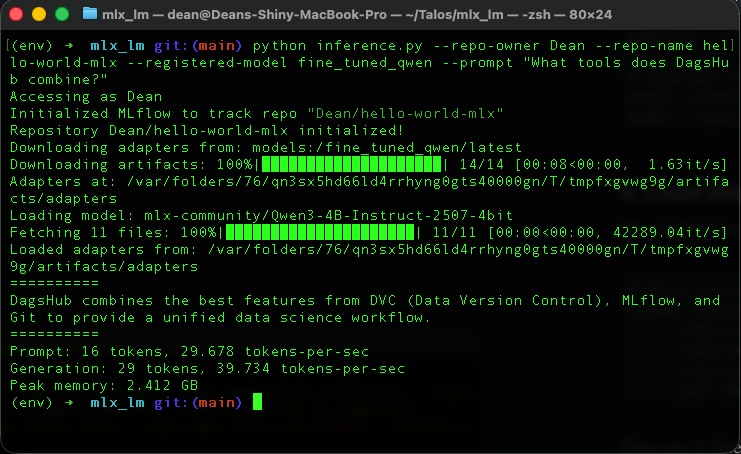
Note that the entire thing took barely a second to run!
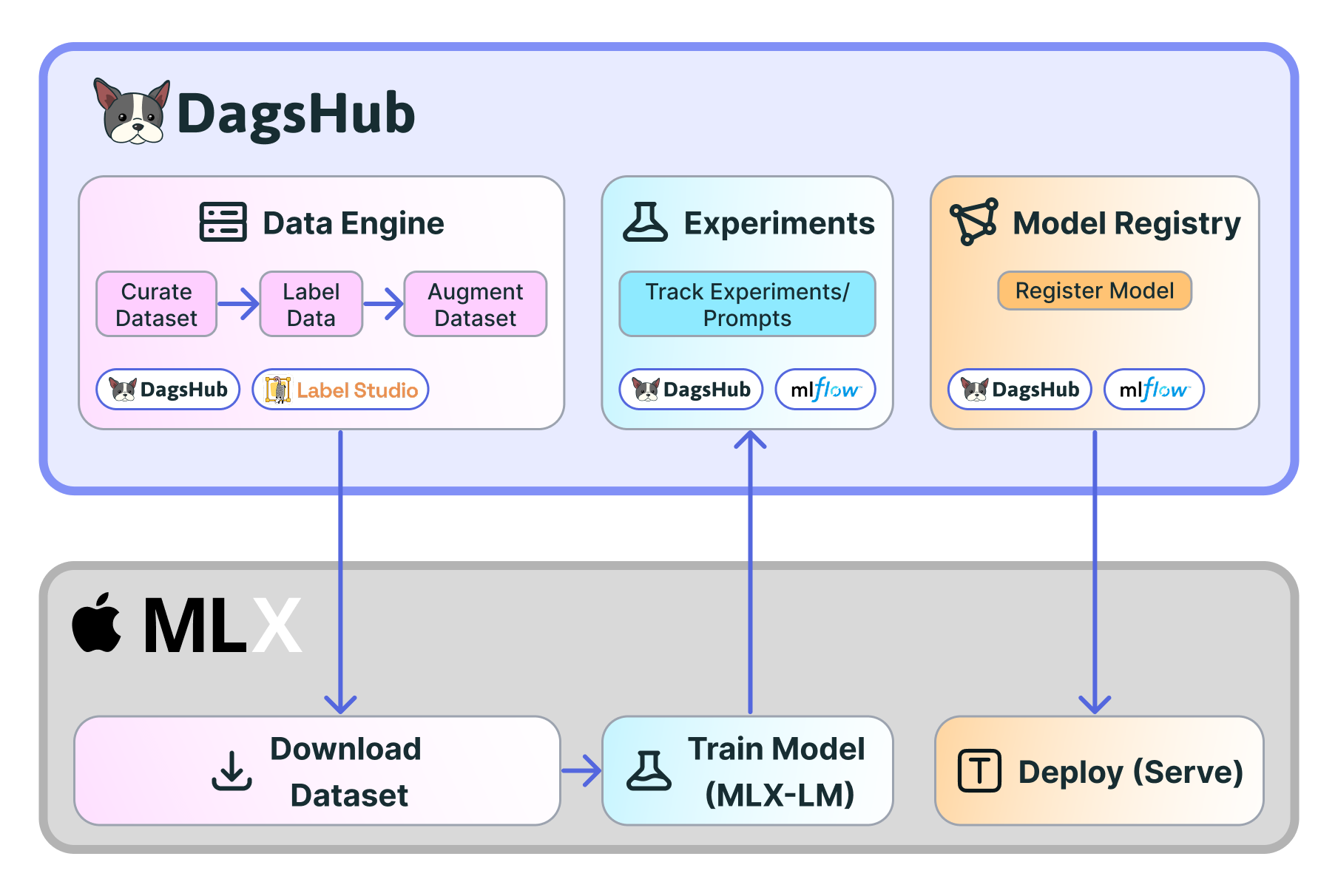
Full Workflow Diagram
Try It Yourself
The complete project is available on DagsHub:
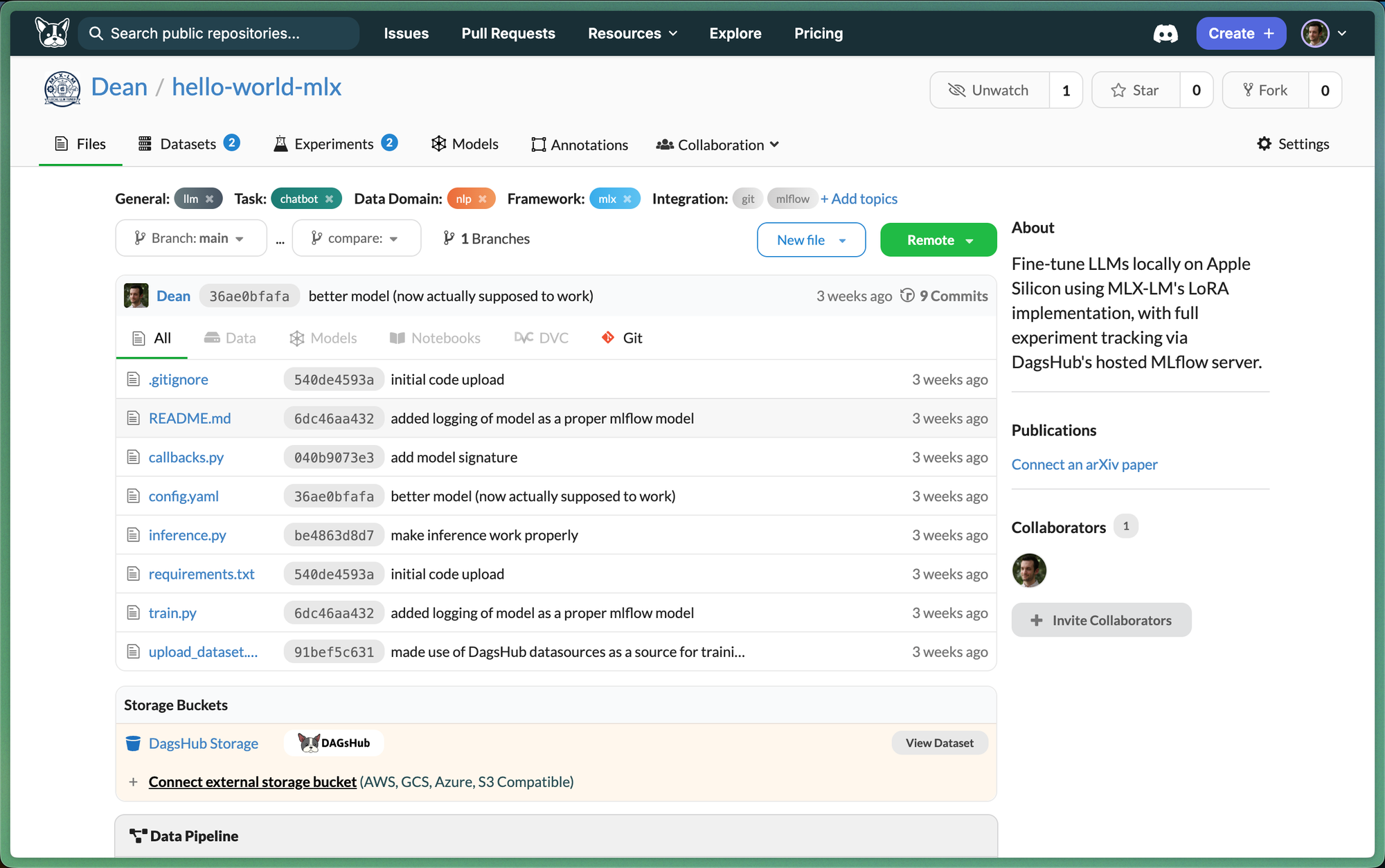
🔗 dagshub.com/Dean/hello-world-mlx
Quick Start
# Clone the repo
git clone https://dagshub.com/Dean/hello-world-mlx.git
cd hello-world-mlx

# Setup environment
python -m venv env
source env/bin/activate
pip install -r requirements.txt

# Train with DagsHub integration
python train.py \
    --repo-owner Dean \
    --repo-name hello-world-mlx \
    --datasource mlx-finetune-dataset
What You'll See
- Data Engine automatically downloads training data based on metadata queries
- Experiments page shows real-time training metrics, linked to git commits
- Model Registry stores your trained adapters, ready for deployment
Key Benefits
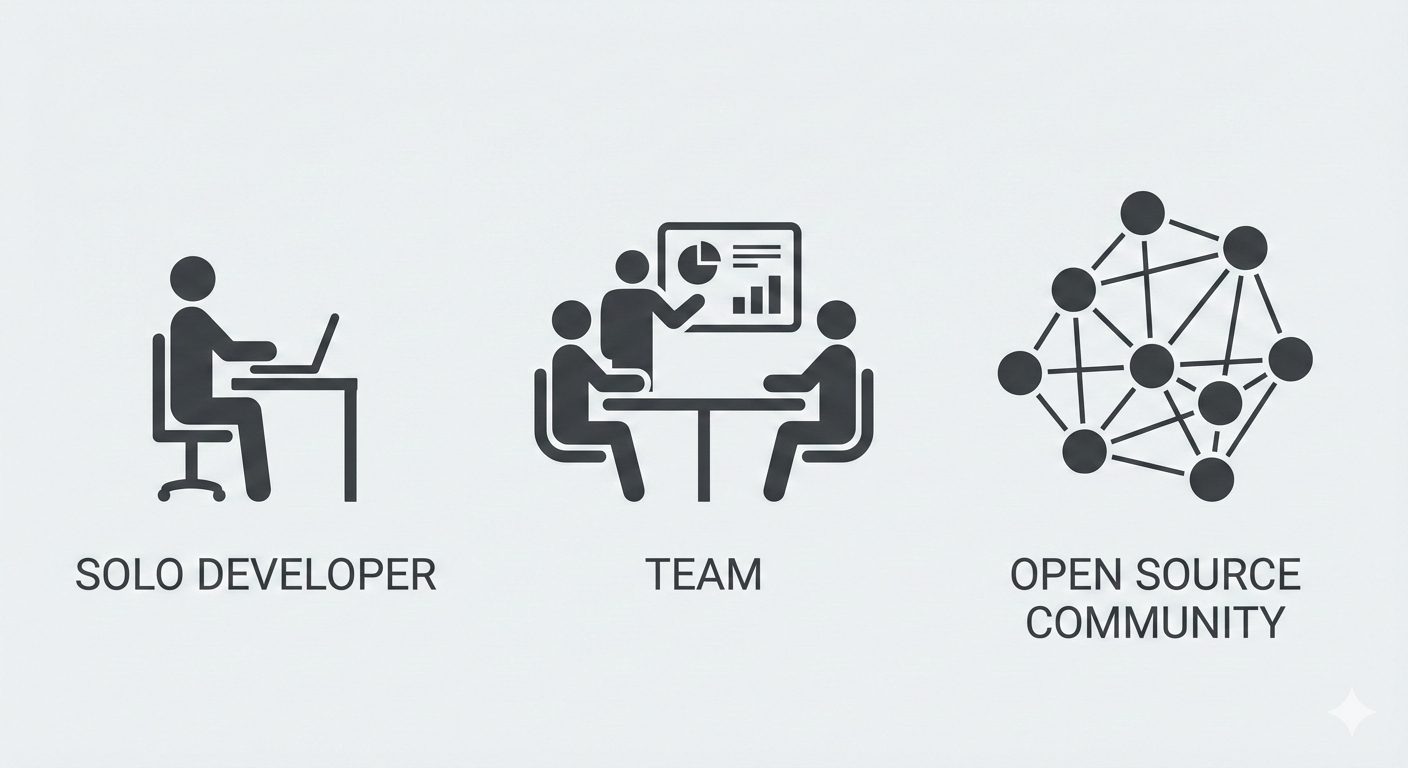
For Individual Developers
- No cloud costs: Train on your Mac, track experiments for free on DagsHub
- Reproducibility: Every experiment links to exact code + data versions
- Easy deployment: One command to serve your model locally
For Teams
- Centralized tracking: All experiments visible in one dashboard
- Model governance: Registry with staging/production stages
- Collaboration: Share experiments, compare runs, review results
For the MLX Ecosystem
- Standard interfaces: MLflow API compatibility means existing tools just work
- Community datasets: Share and discover datasets via Data Engine
- Reference implementations: Learn from working examples
What's Next?
This integration is just the beginning. We're working on:
- Dataset annotation with Label Studio integration
- Distributed training coordination for multi-Mac setups
Get Started Today
- Create a free DagsHub account: dagshub.com
- Clone the example repo: dagshub.com/Dean/hello-world-mlx
- Join our community: Discord for questions and feedback
Apple Silicon has democratized local LLM development. DagsHub makes it production-ready.
Happy fine-tuning! 🍎🤖
Have questions or want to share your MLX-LM project? Join us on Discord or tag @TheRealDagsHub on X.